 Study with
Sound, time, focus
Find your flow.
A quiet studio for studying. Start with a goal, work in clear blocks, rest on purpose, and see honestly where your hours went. Free, offline, no account, no tracking.
What it does
Less going on. More getting done.
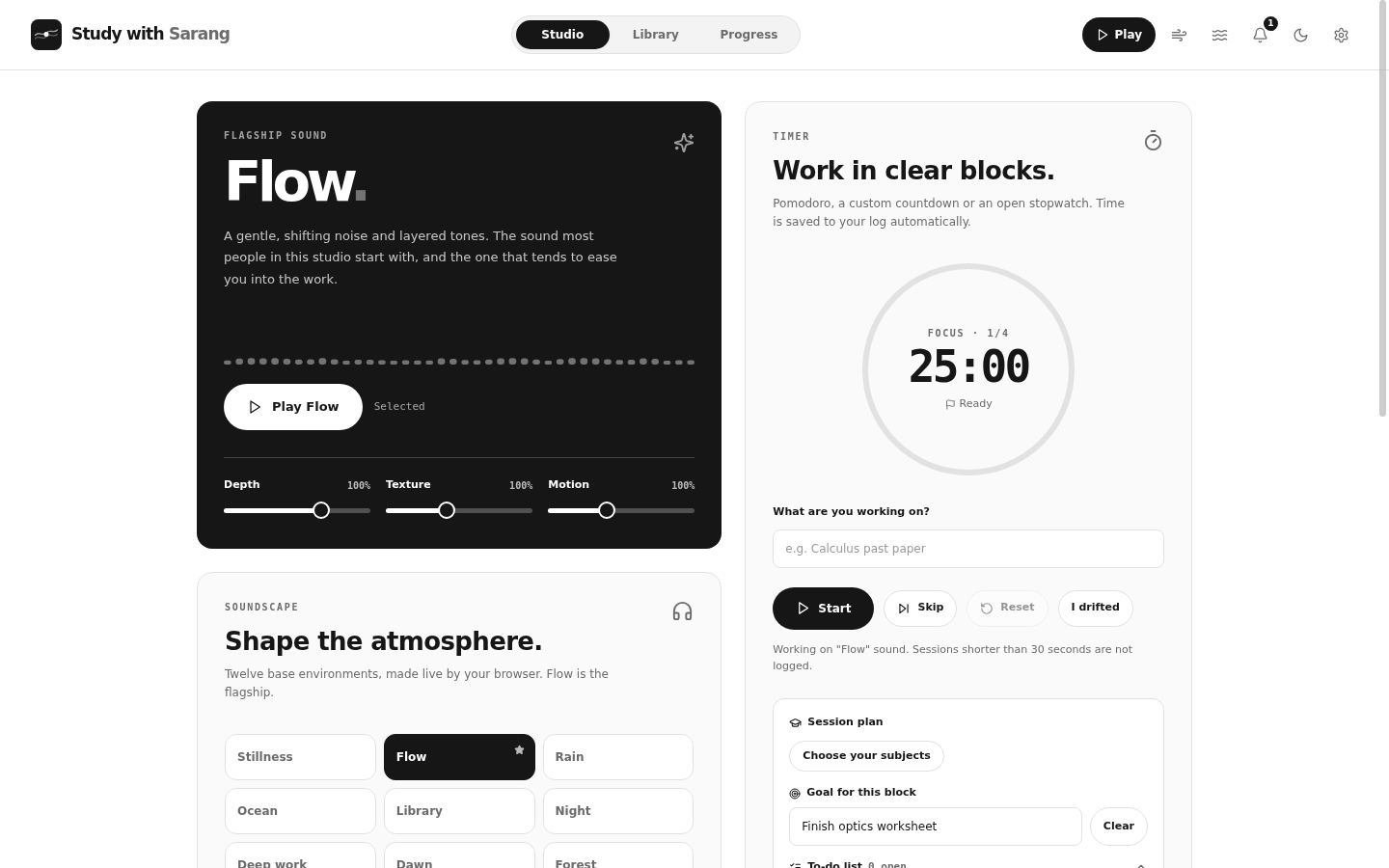
The app opens in Essentials: three pages, one timer, a few icons. Everything else is still there, one switch away in Settings, Advanced.
Goal first
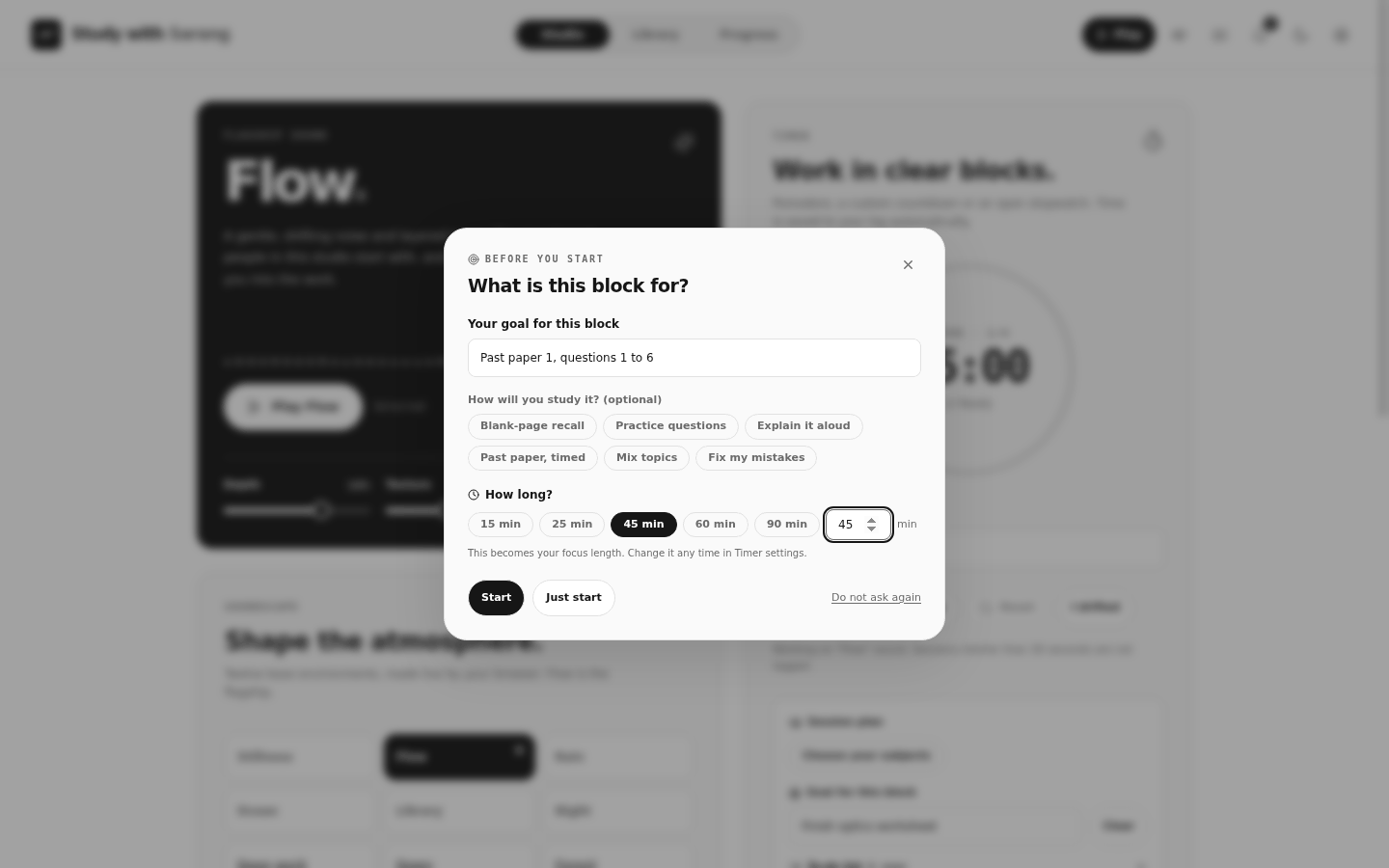
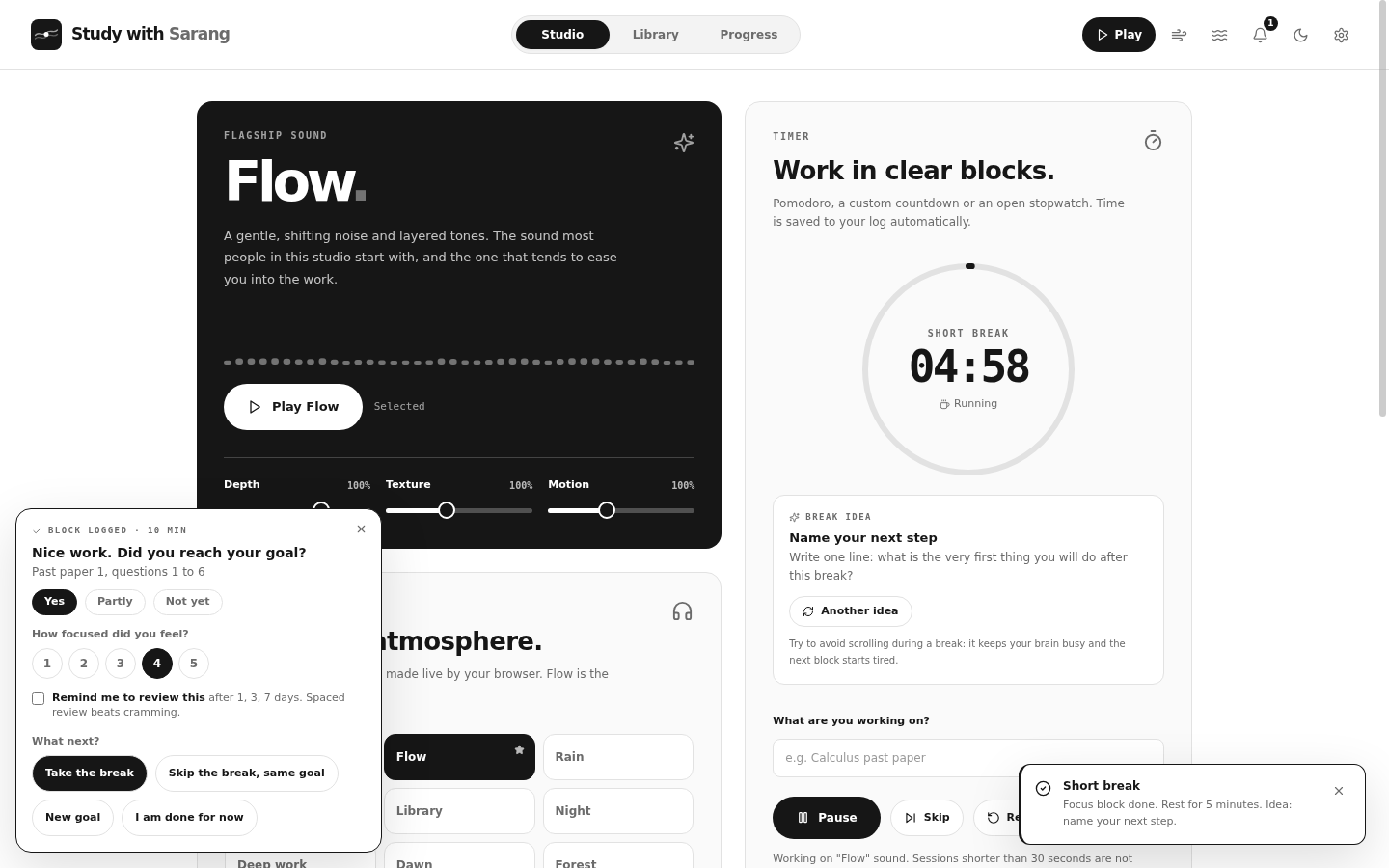
Press Start and it asks what the block is for and how long you will take. When the block ends it asks if you got there and how focused you felt, then what to do next.
Breaks that help
Rest ideas that actually rest you: look far away, stretch, water, a short walk, breathing. Never a scroll. You decide before the break, not during it.
Study that sticks
Blank-page recall, practice questions and spaced reviews at 1, 3 and 7 days, built on the research that testing yourself beats rereading.
Sound made on your device
Twelve base environments and layers, generated live. No recordings, no streaming, no brainwave claims. Keep the volume comfortable.
Honest progress
Weekly bars, a year heatmap, streaks, goal days and 91 achievements, all stored on your device. Visiting is not studying; you decide what counts.
Say it, do it
"Flow, pause my music." Hold a key and speak: music in other apps, timers, goals, to-dos, reviews, pages. Pick the voice engine that answers you.
Real notifications
Windows notifications for blocks, breaks and reviews, with a test button that tells you exactly what happened.
Yours to tune
Nothing is forced. Subjects and exam seasons for the IB, GCSE, A Level, AP and more. Your own icon, themes, shortcuts and a mini bar that stays on top.
Private by design
No account is needed. Optional sync uses your own Supabase project. API keys stay on your device. Discord presence is optional.
A look inside
Built around the session.
Before you start
A short question, not a form. Name the goal, pick how you will study it, choose the minutes. Or press Just start.
When it ends
Did you reach the goal? How focused was it? Add reviews for tomorrow and the days after, then take a break, carry on or stop.
Rest on purpose
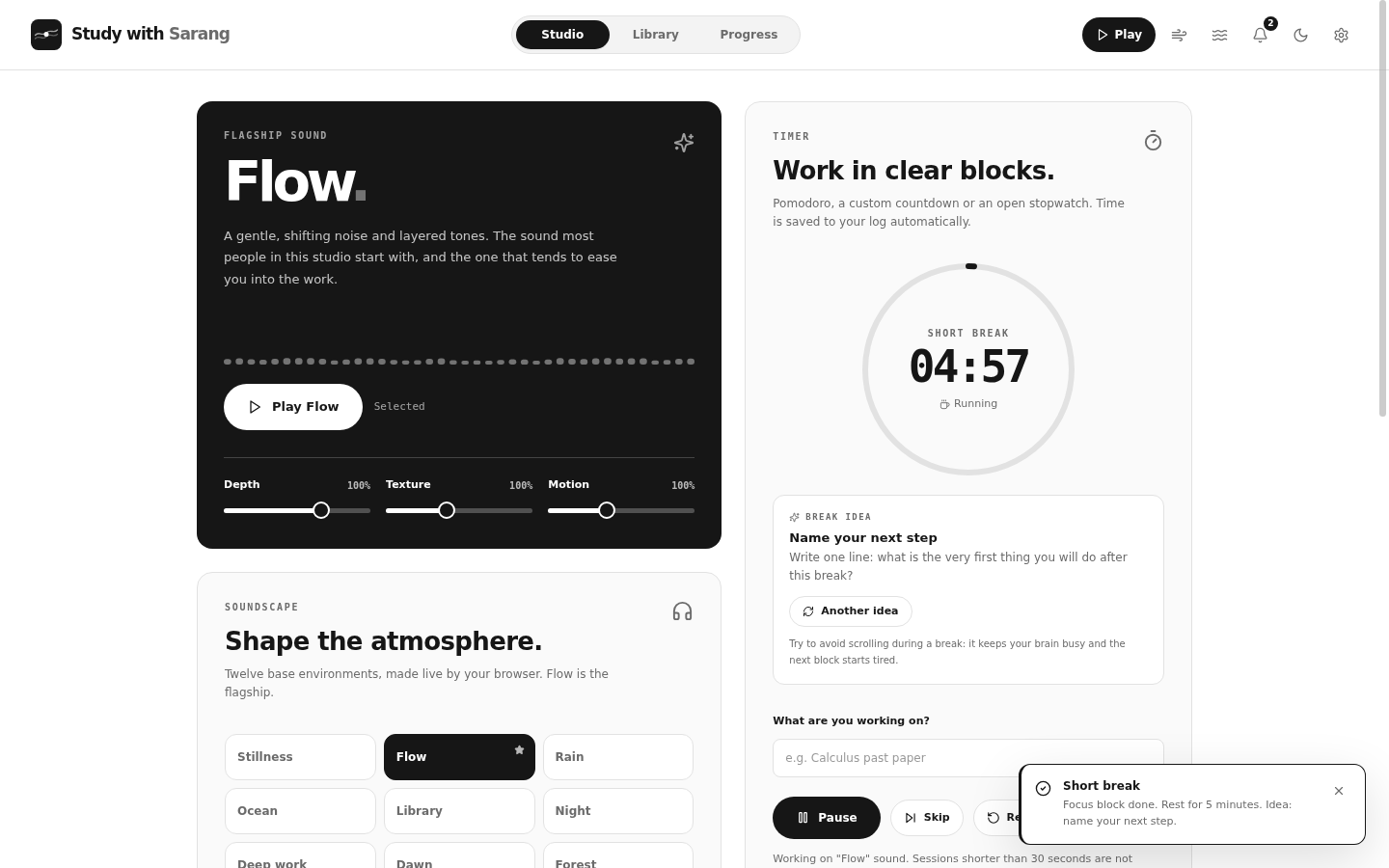
The break screen shows one gentle idea at a time and reminds you to name your next step before you return.
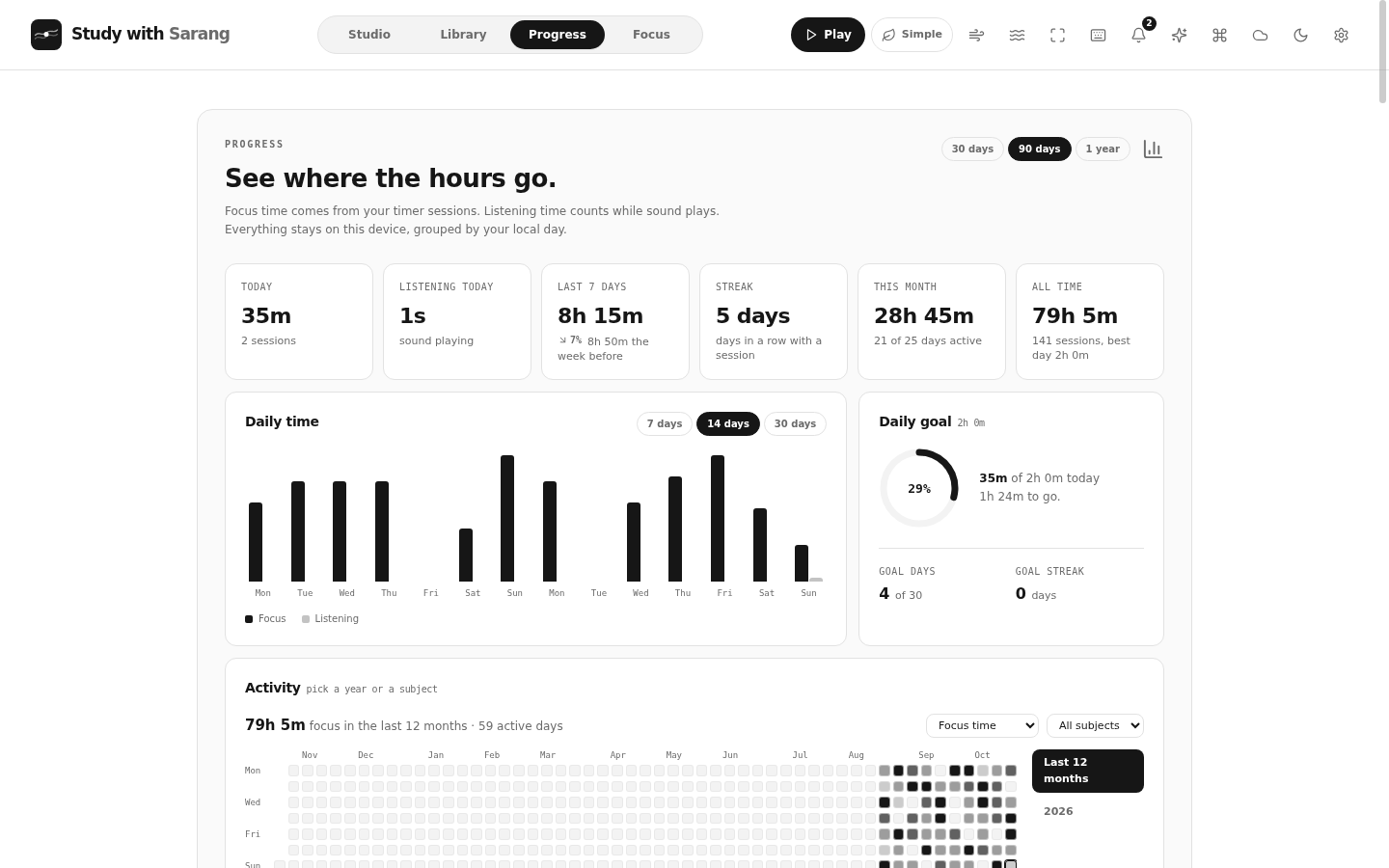
See where the hours go
Stats, a year of activity and your subjects. Essentials keeps a short weekly summary; switch on everything for the full dashboard.
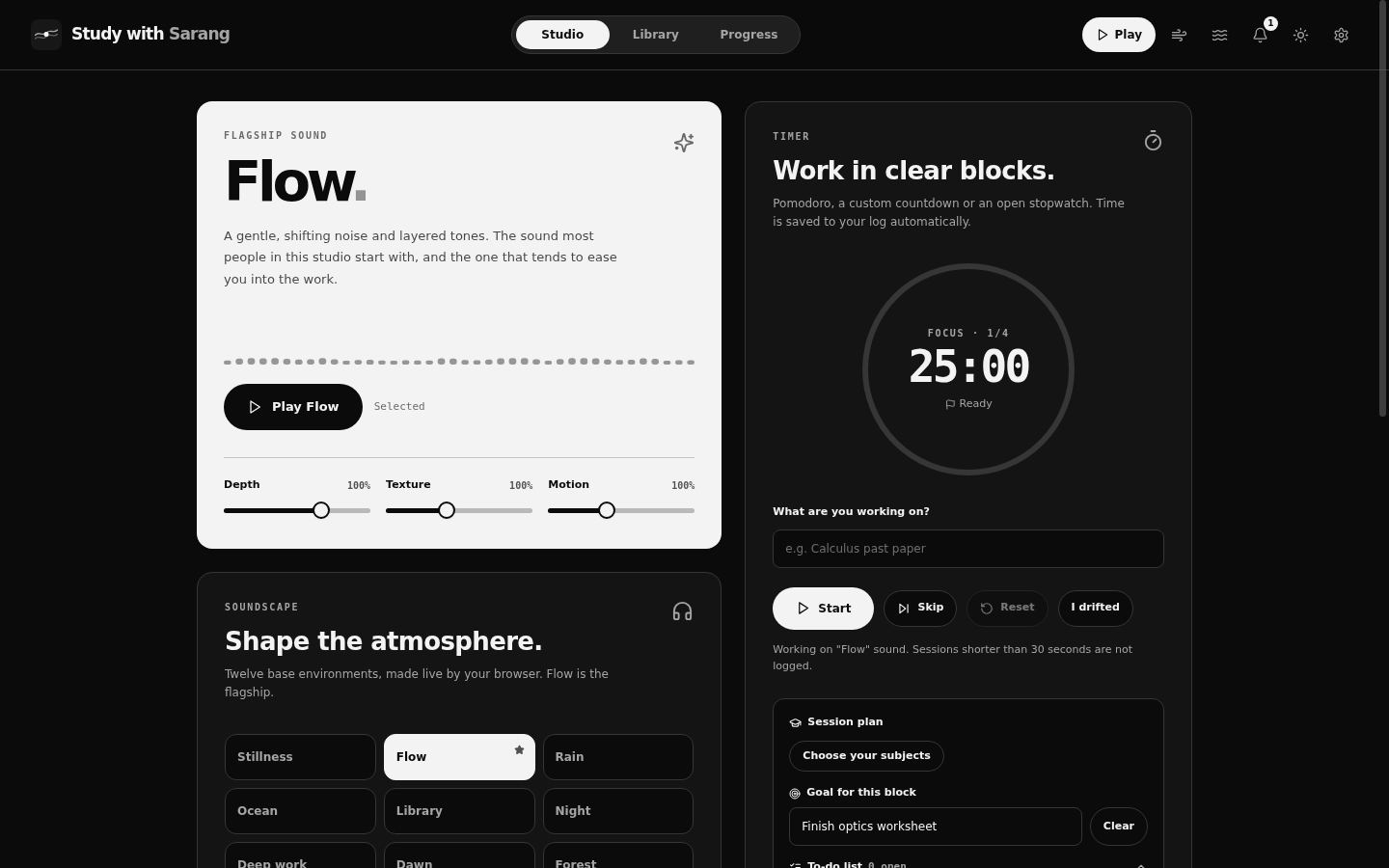
The dark side of the studio
Light and dark, a zen view and a calm screen for breathing. Same grayscale design everywhere.
Download
Get Study with Sarang.
Windows desktop app
One program, an animated installer with shortcuts, a tray icon, media keys and an updater. Windows 10 and 11, 64-bit.
In the browser
The same studio as a web page. It needs no install and keeps working offline once loaded. Desktop-only extras (global shortcuts, other-app media control, tray) are not possible in a browser.
macOS, Linux, Android
Not available yet. The code is Electron, so a Mac build is possible, but it has not been tested. Android comes later.
The Sarang suite
Two apps, one design.
Study with Sarang is the focus studio. Sarang.md is its sibling: an IB Mathematics AA course with lessons, an IB-style question bank, mark schemes and a tutor. They share a look, a settings layout and a desktop shell, and they work well side by side.
Questions
Good to know.
Windows says the app is not recognized. Is it safe?
The installer is signed with a certificate I made myself, because commercial certificates cost money and a new program has no reputation yet. Windows SmartScreen therefore asks once: choose More info, then Run anyway. You can compare the SHA-256 on the release page with Get-FileHash in PowerShell. The full source is in the repository.
Does it cost anything or need an account?
No. There are no ads and no tracking. Cloud sync, AI helpers and voice engines are optional and use your own accounts and keys, which stay on your device.
Where is my data?
On your device, in the browser's storage or the app's data folder. Export and import are in Settings, Your data.
Can I change what the app shows?
Yes. The default is Essentials. Open Settings, Advanced and switch on Show everything to bring back the full set: all pages, the assistant, automations, the study room and more.
How does it update?
The desktop app checks the GitHub releases page and asks before installing anything. Every update is checked against its SHA-256 first. You can switch the check off.